

ChatGPT: The Best Overall AI Assistant in 2026?
ChatGPT is a powerful AI assistant for learning, research, writing, coding, content creation, business, and productivity. Discover its best features, practical uses, prompting tips, and how to use it effectively in 2026.
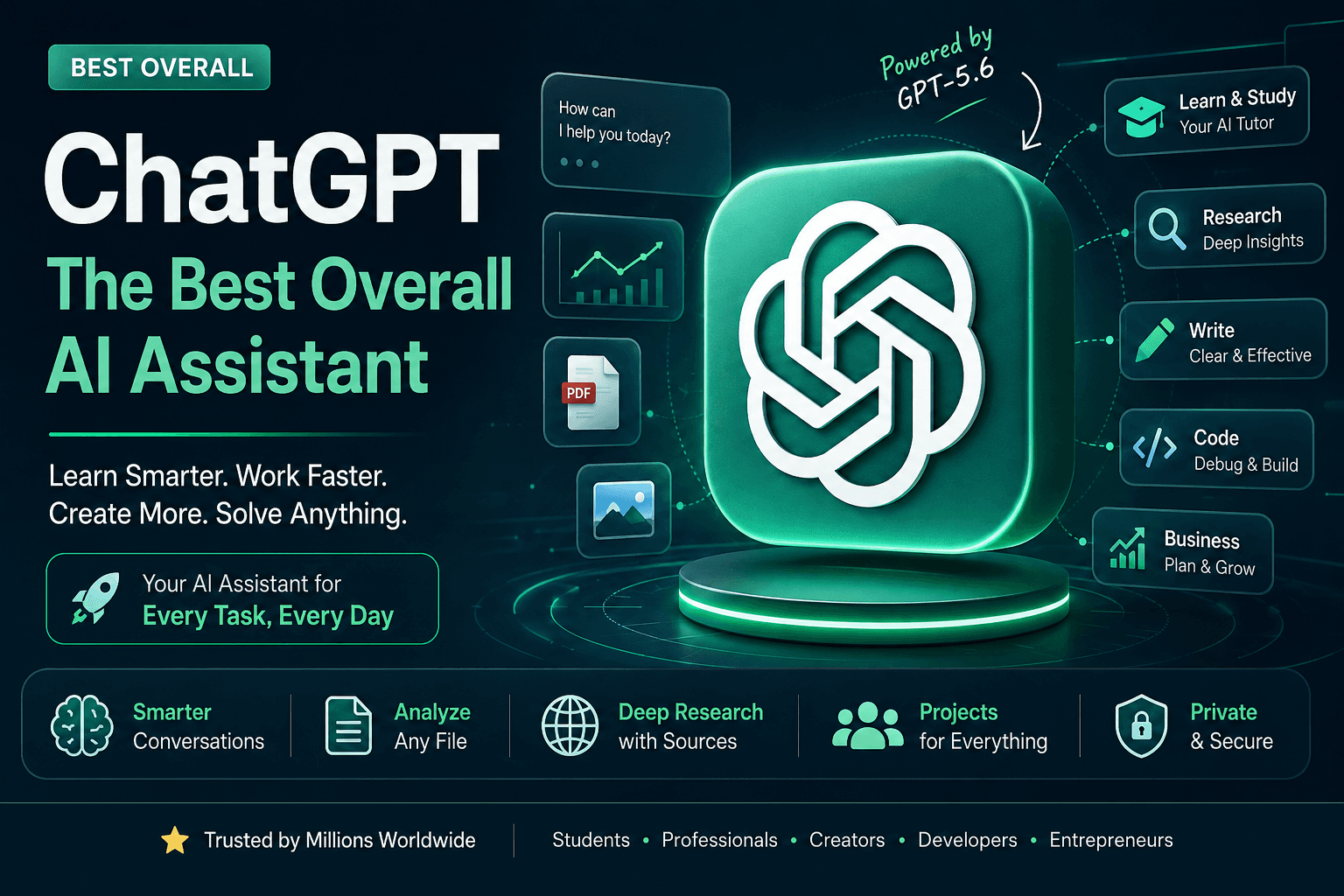
Artificial intelligence has evolved from simple chatbots into powerful digital assistants that can help people research, learn, write, code, analyze information, create content, and complete complex workflows.
Among all the AI tools available today, ChatGPT remains one of the most versatile all-purpose AI assistants.
What makes ChatGPT particularly useful is not just its ability to answer questions. It can increasingly work across different types of information and tasks—from text and documents to images, research, coding, study workflows, and structured work.
In 2026, OpenAI's latest GPT-5.6 family is designed for increasingly complex knowledge work, coding, research, cybersecurity, science, computer use, and design. OpenAI describes GPT-5.6 Sol as its flagship model, alongside Terra and Luna for different performance and efficiency needs.
For a student, ChatGPT can become a personal tutor.
For a programmer, it can become a coding partner.
For a creator, it can become a scriptwriter and brainstorming assistant.
For a startup founder, it can become a research, documentation, strategy, and productivity assistant.
That versatility is why ChatGPT deserves the title:
Best Overall AI Assistant
What Is ChatGPT?
ChatGPT is an AI assistant created by OpenAI.
You interact with it using natural language. Instead of learning complicated commands, you can simply describe what you need.
For example:
"Explain recursion to me like I'm completely new to programming."
Or:
"Analyze this business idea and identify its biggest risks."
Or:
"Review this Python code and explain why it is producing an error."
Or:
"Turn these lecture notes into a revision guide."
The important difference between a traditional search engine and an AI assistant is the interaction model.
A search engine primarily helps you find information.
ChatGPT can help you work with information.
You can ask follow-up questions, change the format, provide additional context, upload files, refine the result, and continue a conversation.
Why ChatGPT Is Considered the Best Overall AI Assistant
There are specialized AI tools that may outperform ChatGPT for individual tasks.
A dedicated coding environment can be better for a certain programming workflow.
A specialized image-generation platform can be better for visual creation.
A research engine may be better for discovering sources.
A video-generation platform may be better for producing video.
But ChatGPT's biggest strength is its breadth.
One tool can support dozens of workflows.
ChatGPT can help with:
Learning
Writing
Research
Brainstorming
Coding
Debugging
Data analysis
Document analysis
Image understanding
Content creation
Planning
Presentations
Productivity
Business strategy
Marketing
Study preparation
Problem solving
This makes it particularly valuable for people who don't want to maintain dozens of different AI applications.
What Makes ChatGPT Different in 2026?
The AI assistant market has changed significantly.
Modern ChatGPT is less about asking a question and receiving a paragraph.
It can be used as part of a broader workflow involving reasoning, files, research, tools, projects, learning, and creation.
OpenAI says GPT-5.6 improves performance across coding, knowledge work, cybersecurity, science, computer use, and design. Its higher-capability settings can also coordinate multiple agents for complex tasks.
That evolution changes how people should think about ChatGPT.
Instead of asking:
"What can ChatGPT tell me?"
a better question is:
"What work can ChatGPT help me accomplish?"
ChatGPT for Students
Students are one of the biggest groups that can benefit from ChatGPT.
However, the best way to use it isn't to treat ChatGPT as an answer machine.
Use it as a personal tutor.
Learn difficult concepts
Suppose you are learning linked lists in data structures.
Instead of searching for dozens of explanations, ask:
"Teach me linked lists from zero. Assume I know arrays but have never used a linked list. Explain the concept, show a simple C example, and then quiz me."
You can then continue:
"I don't understand why the pointer is needed."
And:
"Give me a visual analogy."
The conversation can adapt to your understanding.
ChatGPT Study Mode
One of ChatGPT's especially useful education features is Study Mode.
Study Mode is designed to help users build understanding instead of simply receiving a final answer.
It can ask questions, guide the user's reasoning, explain concepts in stages, check understanding, and work with uploaded study materials such as PDFs, notes, slides, and images. OpenAI says Study Mode is available globally across ChatGPT plans on web, iOS, and Android.
Example
Instead of asking:
"Solve this calculus question."
Try:
"Use Study Mode and guide me through this problem without giving me the final answer until I have attempted it."
This turns ChatGPT into something closer to an interactive tutor.
Students can use ChatGPT for:
Before class
Research unfamiliar concepts.
During revision
Summarize notes and identify weak areas.
Before exams
Generate practice questions and quizzes.
After solving problems
Check reasoning and identify mistakes.
For programming
Explain errors and compare different approaches.
ChatGPT for Research
Research can consume hours.
You need to:
Find information.
Compare sources.
Understand the material.
Organize it.
Extract useful information.
Create a report.
ChatGPT can assist with many parts of this process.
For quick questions, normal ChatGPT conversations may be sufficient.
For more complicated research tasks, ChatGPT offers Deep Research.
OpenAI describes Deep Research as a workflow that can plan, research, and synthesize complex questions into a documented report. It can use the public web, uploaded files, specific websites, and enabled connected applications, and it provides citations or source links for verification.
What Is Deep Research?
Imagine you are researching:
"How will AI cybersecurity startups in India change between 2026 and 2030?"
A simple AI response might provide a general explanation.
A deeper research workflow can investigate:
Market information
Industry reports
Company websites
Academic research
Government sources
Recent developments
Multiple viewpoints
Then synthesize the findings into a structured report.
This is particularly useful for:
Students
Researchers
Founders
Analysts
Journalists
Consultants
Investors
But always verify important information
AI-generated research should not automatically be treated as fact.
For academic, legal, financial, medical, technical, or business-critical work, inspect the original sources.
ChatGPT for Writing
Writing is another area where ChatGPT is extremely versatile.
It can help with:
Blog posts
Articles
Emails
Reports
Scripts
Stories
Social media posts
Product descriptions
Documentation
Resumes
Business proposals
The most useful workflow is not:
"Write everything for me."
It is:
Idea → Outline → Draft → Review → Improve → Human editing
Example of a Better Writing Prompt
Instead of:
"Write a blog about AI."
Try:
"Write a 2,000-word article about AI tools for Indian college students. The audience is beginners. Explain each tool with practical examples, include advantages and limitations, use a professional but easy-to-understand tone, and structure the article with clear H2 and H3 headings."
Now the AI has much more context.
ChatGPT for Content Creators
Content creators often need to repeat the same processes:
Idea → Hook → Script → Caption → Thumbnail concept → Description → Repurposing
ChatGPT can help accelerate each stage.
YouTube example
You can ask:
"Give me 20 YouTube video ideas about AI tools for college students."
Then:
"Turn idea #7 into a 60-second short-form video."
Then:
"Give me five hooks that create curiosity without using clickbait."
Then:
"Create an Instagram caption and a YouTube description from this script."
One idea can therefore become multiple pieces of content.
ChatGPT for Blogging
Bloggers can use ChatGPT throughout the content lifecycle.
Research
Find angles and questions readers are asking.
Planning
Build an article structure.
Writing
Create a first draft.
SEO
Generate:
SEO titles
Meta descriptions
FAQs
Internal-link ideas
Keyword clusters
Editing
Improve:
Grammar
Readability
Structure
Clarity
Tone
Repurposing
Convert the article into:
LinkedIn posts
Instagram captions
X posts
Newsletter content
Video scripts
The key is to have ChatGPT assist with the workflow rather than simply producing a generic article.
ChatGPT for Programmers
Programming is one of the areas where modern AI assistants have become especially powerful.
ChatGPT can assist with:
Learning programming
Debugging
Code generation
Refactoring
Documentation
Testing
Architecture
API design
SQL
Regular expressions
Git
DevOps
Security analysis
OpenAI describes GPT-5.6 Sol as particularly strong for coding and complex engineering workflows, including work involving real codebases and command-line tasks.
ChatGPT as a Coding Tutor
Beginners should not simply ask:
"Give me the code."
Ask:
"Explain how to solve this problem first. Then give me pseudocode. After that, show me the C implementation and explain every important line."
This gives you the chance to understand the algorithm.
ChatGPT for Debugging
One of the most useful programming workflows is debugging.
Instead of:
"My code doesn't work."
Provide:
The code
The error message
Expected behavior
Actual behavior
Environment/version
For example:
"This FastAPI endpoint returns a 500 error. Here is the traceback and relevant code. Identify the root cause, explain it, and suggest the smallest safe fix."
This produces much better results than a vague question.
ChatGPT for Startups
Startups often have limited resources.
One founder may simultaneously need to think about:
Product
Engineering
Marketing
Sales
Customer support
Research
Hiring
Documentation
ChatGPT can support many of these functions.
Market research
Analyze:
Customer segments
Competitors
Market trends
Pricing models
Product positioning
Product development
Generate:
Product requirements
User stories
Feature specifications
MVP ideas
User journeys
Marketing
Create:
Landing-page copy
Ad concepts
Social media content
Email campaigns
Content calendars
Operations
Create:
SOPs
Meeting summaries
Documentation
Checklists
Internal knowledge resources
ChatGPT Projects
For long-running work, starting a new chat every time can become inefficient.
ChatGPT's Projects feature is designed to keep related chats, reference files, and custom instructions together.
OpenAI describes Projects as workspaces for ongoing efforts such as writing, research, planning, and other repeatable workflows. Users can add files and instructions so ChatGPT can maintain relevant context. Projects are available across free and paid subscription types globally.
Example project
Suppose you are building a startup.
Create a project called:
Startup Development
Add:
Business plan
Product requirements
Competitor research
Brand guidelines
Technical documentation
Customer research
Then continue your work inside that project.
This is much more useful than repeatedly explaining the entire startup to ChatGPT.
ChatGPT for Documents and Files
ChatGPT can also work with uploaded files.
Depending on available tools and account capabilities, users can work with materials such as:
PDFs
Documents
Spreadsheets
Images
Notes
Presentations
This opens up many practical workflows.
Student example
Upload a PDF containing lecture notes.
Ask:
"Explain this chapter like I'm a beginner."
Then:
"Create 25 exam questions from the uploaded material."
Then:
"Quiz me one question at a time."
ChatGPT for Data Analysis
Data can be difficult to interpret when you are staring at thousands of rows.
ChatGPT can help analyze data, explain trends, identify anomalies, and help users understand what the numbers mean.
For example:
"Analyze this sales dataset. Identify the three largest revenue drivers, detect unusual changes, and explain what management should investigate."
The important principle is to distinguish between:
Data calculation
and
Business interpretation.
Always verify important numerical conclusions.
ChatGPT for Images and Visual Understanding
Modern AI assistants are increasingly multimodal.
This means users can work with more than text.
Depending on the tools available in their ChatGPT environment, users can analyze images and use image-generation capabilities.
For example, you could upload:
A screenshot
A diagram
A photograph
A graph
A product image
A UI design
and ask ChatGPT to analyze it.
For designers and creators, image capabilities can also be part of the ideation process.
ChatGPT for Presentations
Creating a presentation manually often means spending hours deciding:
Slide structure
Titles
Content
Visual hierarchy
Explanations
AI can accelerate the planning process.
You can ask:
"Create a 10-slide presentation explaining cybersecurity for first-year engineering students. Each slide should have a short title, three key points, and a visual suggestion."
OpenAI says GPT-5.6 improves presentation, document, and spreadsheet generation, including the ability to produce editable presentations and follow reference layouts more faithfully.
ChatGPT for Brainstorming
One underrated use of AI is brainstorming.
Humans often get stuck because we evaluate ideas too early.
ChatGPT can generate a large number of alternatives quickly.
For example:
"Give me 50 startup ideas using AI and cybersecurity. Avoid generic chatbot ideas. Focus on problems faced by Indian SMEs."
You can then continue:
"Rank the top 10 by market potential and technical difficulty."
Then:
"Take the top three and identify why each could fail."
This turns brainstorming into an iterative process.
The Biggest Mistake: Writing Weak Prompts
Many people say:
"AI isn't giving me good answers."
Often, the problem is not the AI.
It's the prompt.
Compare these two prompts.
Weak prompt
"Tell me about cybersecurity."
Better prompt
"I'm a first-year engineering student with basic programming knowledge. Explain cybersecurity from the beginning, divide it into 10 concepts, use practical examples, and give me a short quiz after each section."
The second prompt defines:
Audience + Goal + Scope + Format + Difficulty + Interaction
That gives the AI something useful to work with.
A Simple Prompt Formula
A powerful general structure is:
Role + Context + Goal + Constraints + Output Format
For example:
Role: Act as a cybersecurity mentor.
Context: I'm a beginner engineering student.
Goal: Teach me network security.
Constraints: Avoid unnecessary jargon and explain each technical term.
Format: Give me a lesson, examples, practice questions, and a quiz.
You don't need complicated prompt engineering.
You need clear communication.
10 Useful ChatGPT Prompts
1. Learning
"Teach me [topic] from zero. Start with the simplest concept, explain it using an analogy, and test my understanding before moving forward."
2. Exam preparation
"Create a 7-day revision plan for [subject] based on these topics. Include daily study goals, practice questions, and revision sessions."
3. Research
"Research [topic] using reliable and recent sources. Separate established facts from uncertain claims and provide sources I can verify."
4. Coding
"Act as a programming mentor. Don't immediately give me the solution. First explain the algorithm and let me attempt it."
5. Debugging
"Find the root cause of this error. Explain why it happens, show the smallest safe fix, and tell me how to prevent it."
6. Writing
"Edit this article for clarity and readability while preserving the author's meaning and voice."
7. Content creation
"Turn this article into five short-form video ideas, each with a hook, script outline, and CTA."
8. Business
"Analyze this startup idea as a skeptical investor. Identify the problem, customer, competition, business model, risks, and five reasons the startup could fail."
9. Productivity
"Turn these messy notes into a prioritized action plan with deadlines and dependencies."
10. Learning from mistakes
"Here is my answer. Don't simply correct it. Identify exactly where my reasoning went wrong and teach me the concept I misunderstood."
Free vs Paid ChatGPT
ChatGPT is available in both free and paid versions.
The exact features, model access, and limits can change over time, so users should check their account's current model picker and OpenAI's current plan information rather than relying on old comparison tables.
OpenAI currently lists ChatGPT Plus at $20 per month and says Plus provides broader model and tool access than Free, higher usage limits, faster responses, advanced reasoning options, file analysis, image generation, voice conversations, and Deep Research where available.
Free users
The free plan can be sufficient for:
Everyday questions
Basic learning
Writing help
Brainstorming
Occasional research
General productivity
Paid users
Paid plans can make more sense for people who use ChatGPT heavily for:
Coding
Research
Long projects
Professional work
Advanced reasoning
File analysis
Higher-volume workflows
The right plan depends on usage.
Is ChatGPT Accurate?
No AI assistant should be treated as infallible.
ChatGPT can produce:
Incorrect facts
Outdated information
Incorrect calculations
Misinterpreted instructions
Plausible-sounding but unsupported claims
Coding mistakes
This is sometimes referred to as hallucination.
The more important the information, the more important verification becomes.
For low-risk tasks
You can often use ChatGPT directly.
For high-risk tasks
Verify using authoritative sources.
This is particularly important for:
Medical information
Legal advice
Financial decisions
Cybersecurity
Academic research
Business-critical decisions
Current events
ChatGPT and Privacy
Privacy is an important consideration when using any AI system.
OpenAI provides Data Controls that allow personal ChatGPT users to choose whether their conversations are used to improve models. Users can turn off "Improve the model for everyone" from Settings → Data Controls.
OpenAI also says that Temporary Chats aren't used to train models, don't appear in chat history, don't create memories, and are deleted from its systems after 30 days, subject to abuse-monitoring requirements.
For sensitive business information, users should understand the specific privacy terms of the plan and workspace they are using before uploading confidential material.
What ChatGPT Should Not Replace
ChatGPT is powerful, but it should not replace:
Human judgment
AI can provide recommendations, but you still decide.
Expert verification
Critical decisions require qualified professionals.
Actual learning
Generating an answer is not the same as understanding it.
Testing
Generated code needs to be tested.
Original thinking
AI should expand your ideas, not eliminate them.
ChatGPT vs Search Engines
Search engines and ChatGPT serve different purposes.
Use a search engine when:
You want to find a specific website.
You need the latest source.
You want to browse many pages yourself.
Use ChatGPT when:
You want something explained.
You want to brainstorm.
You want to transform information.
You want to analyze something.
You want to work through a problem.
Use both when:
Accuracy and current information matter.
A strong research workflow is:
Search → Read sources → Ask ChatGPT to analyze → Verify conclusions
And when available, use ChatGPT's web search or Deep Research capabilities for research tasks that require current or source-grounded information.
ChatGPT for Indian Students
ChatGPT can be particularly useful for Indian college students who are balancing academics, coding, projects, internships, placements, and side projects.
Example workflow
College lecture
↓
Upload notes to ChatGPT
↓
Ask for a beginner-friendly explanation
↓
Use Study Mode
↓
Generate practice questions
↓
Attempt them
↓
Ask ChatGPT to identify weaknesses
↓
Create a final revision sheet
This is much more powerful than simply asking:
"Give me notes."
ChatGPT for Engineering Students
Engineering students can use ChatGPT across many subjects.
Programming
C, C++, Python, Java, JavaScript and more.
Mathematics
Step-by-step explanations and practice.
Physics
Conceptual explanations and numerical problem walkthroughs.
Electronics
Circuit concepts and explanations.
Computer science
DSA, operating systems, databases, networking, cybersecurity and software engineering.
The strongest workflow is always:
Learn → Practice → Explain → Test → Correct
ChatGPT for Cybersecurity
ChatGPT can also be useful for cybersecurity education and defensive security workflows.
You can use it to:
Explain protocols
Understand vulnerabilities
Study security concepts
Analyze defensive configurations
Review code
Write detection logic
Learn networking
Practice secure coding
Understand security tools
For example:
"Explain SQL injection using a safe toy example, then show how parameterized queries prevent the vulnerability."
This teaches the underlying concept without requiring a real target.
The Future of ChatGPT
The biggest change coming to AI assistants is the movement from:
Question → Answer
toward:
Goal → Plan → Tools → Actions → Result
Instead of simply explaining how to complete a task, AI systems are increasingly becoming capable of helping users execute multi-step workflows.
OpenAI's GPT-5.6 announcement highlights stronger computer use, tool use, long-running workflows, coding, design, research, and multi-agent coordination.
That means the future of ChatGPT is likely to be less like a traditional chatbot and more like a general-purpose AI work environment.
Final Verdict: Is ChatGPT the Best Overall AI Assistant?
For a single tool that covers a very wide range of tasks, ChatGPT is one of the strongest all-purpose AI assistants available in 2026.
Its biggest advantage is not necessarily that it is number one at every individual task.
Its advantage is that it can help with many different tasks inside one ecosystem.
You can use it to:
Learn
→ Research
→ Write
→ Code
→ Analyze
→ Create
→ Plan
→ Build
→ Improve
That's what makes it especially valuable.
A student can use it as a tutor.
A programmer can use it as a coding partner.
A creator can use it as a content assistant.
A founder can use it as a business thinking partner.
A researcher can use it as a research assistant.
And an ordinary user can simply use it to save time every day.
The most important shift is therefore not learning how to ask ChatGPT hundreds of clever questions.
It is learning how to turn ChatGPT into part of your workflow.
When used carefully—with verification, human judgment, and clear prompts—ChatGPT can turn hours of repetitive work into a much faster and more organized process.
ChatGPT Quick Summary
CategoryChatGPTBest overall useGeneral AI assistanceBest for students⭐⭐⭐⭐⭐Best for writing⭐⭐⭐⭐⭐Best for coding⭐⭐⭐⭐⭐Best for brainstorming⭐⭐⭐⭐⭐Best for research⭐⭐⭐⭐⭐Best for startups⭐⭐⭐⭐⭐Best for content creation⭐⭐⭐⭐⭐Best for learning⭐⭐⭐⭐⭐Free optionYesPaid optionYesDeep ResearchAvailable on eligible plansStudy ModeAvailable globallyProjectsAvailable globallyFile analysisAvailableImage capabilitiesAvailable depending on plan/tool access
Frequently Asked Questions
Is ChatGPT free?
Yes. ChatGPT has a free tier, while paid plans provide broader access to models and tools. Exact limits and available features can change over time.
Is ChatGPT good for students?
Yes. It can explain concepts, create practice material, analyze study documents, and use Study Mode to guide learning step by step.
Is ChatGPT good for programming?
Yes. ChatGPT can explain code, debug problems, help design solutions, generate tests, and support complex development workflows. OpenAI says GPT-5.6 has particularly strong coding and engineering capabilities.
Can ChatGPT analyze PDFs?
ChatGPT can work with uploaded files, including PDFs in supported workflows. Projects and Study Mode can also use uploaded reference material.
Does ChatGPT have a research mode?
Yes. Deep Research can perform multi-step research and produce a documented report with citations or source links.
Is ChatGPT always accurate?
No. Important information should be checked against reliable primary or authoritative sources.
Can I use ChatGPT for college assignments?
You should follow your college or instructor's AI-use policy. Using AI as a tutor, brainstorming assistant, or feedback tool may be permitted, while submitting AI-generated work as your own may violate academic rules.
Related Articles
Subscribe to our newsletter
Weekly insights on startups, business, and technology — right in your inbox.